Introduction: It happens in slow motion. The knock, the spill, the splash. Whether it’s water, sugary coffee, or a craft beer, liquid is the mortal enemy of electronics. But here is the harsh reality: the liquid itself isn’t usually what kills your laptop. It’s the electricity interacting with that liquid.
In this guide, we are moving beyond the panic. We will explore the science of galvanic corrosion, explain why the "bag of rice" trick is actually dangerous for your hardware, and outline the only scientifically proven method to resurrect a water-damaged machine.
Phase 1: The "Golden Minute" (Critical Response)
While the subsequent cleanup requires patience, your first 60 seconds determine if the laptop survives at all. The goal is simple: Stop the electrolysis.
Electrolysis occurs when an electrical current flows through a liquid, causing metals to migrate and corrode instantly. To stop it, you must kill the power source.
The Hard Kill: Do not use the mouse to shut down Windows. Hold the physical power button for 5-10 seconds until the machine dies.
Sever the Power: Unplug the AC adapter immediately.
Battery Removal (If possible): If your laptop has an external battery, pull it. If it’s an ultrabook with an internal battery, proceed immediately to the draining phase.
Pro Tip: Never flip the laptop right-side up to "check if it works." This allows gravity to pull the liquid further down into the motherboard layers.
Phase 2: Understanding the Enemy (Fluid Dynamics)
Not all spills are created equal. Understanding what you spilled dictates your recovery strategy.
Water: The "best" case scenario. It is conductive but typically leaves minimal residue once fully evaporated.
Sugary Drinks (Soda/Coffee): These are the silent killers. As the water evaporates, it leaves behind a conductive, sticky syrup. This residue attracts dust and holds moisture, meaning corrosion can continue weeks after the accident.
Alcohol/Beer: Highly acidic. Acid eats through the protective coatings on the motherboard traces and solder points much faster than water.
Phase 3: The Great Rice Deception
You have heard it a thousand times: "Put it in rice!" Do not do this.
As a tech resource, we need to debunk this myth permanently. Here is why rice is a bad idea:
It's too slow: Rice is a passive desiccant. By the time it absorbs ambient moisture, corrosion has already set in.
The Starch Problem: Rice dust and starch can enter the laptop’s cooling vents and USB ports. When mixed with the spilled liquid, this creates a paste that essentially cements the damage inside your machine.
The Solution? Airflow. Position the laptop in an inverted V-shape (tent mode) in a dry, warm room with active airflow (a fan blowing across it, not directly into the vents).
Phase 4: The Advanced DIY Fix (For the Tech-Savvy)
Disclaimer: This section requires opening your device. Proceed at your own risk.
If you spilled anything other than pure water, simply drying it out isn't enough. You need to remove the chemical residue.
Open the Chassis: Remove the back panel to expose the motherboard.
Disconnect the Battery: This is the priority connector.
Inspection: Look for white or green crusty deposits on the chips (this is oxidation).
The Magic Solvent: Use 99% Isopropyl Alcohol (IPA). Do not use rubbing alcohol (which is often only 70% alcohol and 30% water).
The Clean: Use a soft toothbrush dipped in 99% IPA to gently scrub the affected areas. The alcohol will dissolve the sticky residue and displace the water, then evaporate almost instantly.
Summary: When to Call a Pro
If the spill involved a significant amount of sugary liquid, or if the laptop was running for minutes while wet, the liquid may have bridged critical power rails (like the CPU power line). In this case, professional ultrasonic cleaning is the only reliable fix.
Bottom line: Patience saves hardware. Never power on a wet laptop sooner than 48 hours after the incident.
------------------------------------------------------------------------------------------------------------------------

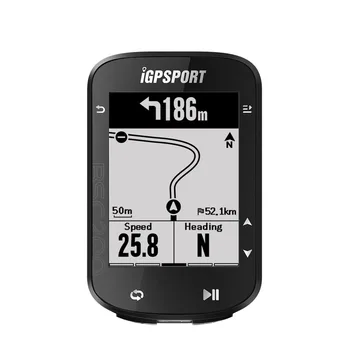
IGPSPORT BSC200 GPS Bicycle Computer Cycling Odometer Wireless Speedometer Route Navigation ANT + Bluetooth5.0 Accessories
Comments
Post a Comment